
Photo Editor, Enhancer-ShotCam
Mortys GamesPhotography
4.1114.00 Reviews
- Version
- 2.9.0
- Installs
- 1.00M
- Age Rating
- Everyone
Screenshots


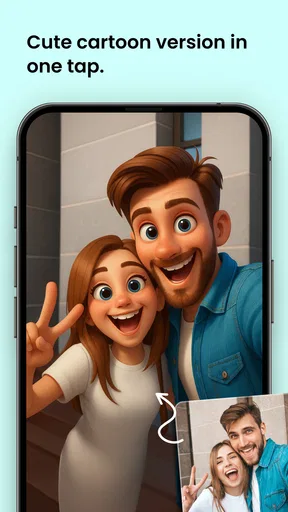

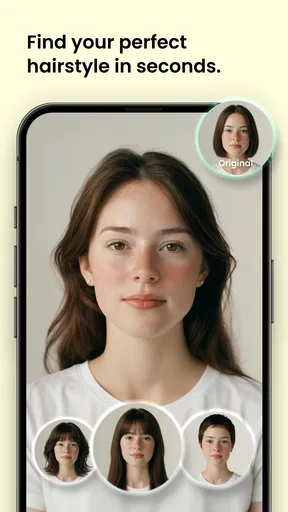
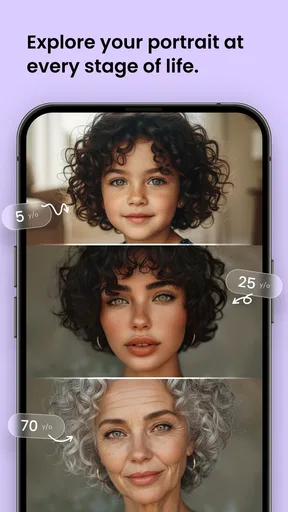

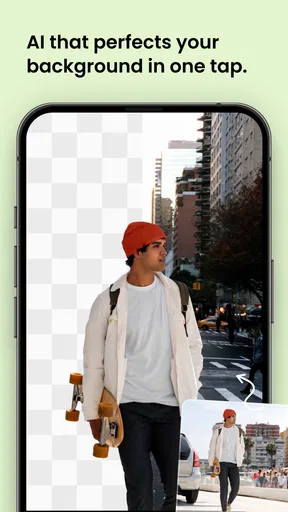
Our Review of Photo Editor, Enhancer-ShotCam
 Analysis by Appyee
When I need to tidy up a photo quickly, I care less about having every professional control and more about getting a useful result without turning a small edit into a project. That is the kind of job Photo Editor, Enhancer-ShotCam is aimed at: everyday picture fixes, with tools for reshaping, changing a background, and removing unwanted objects. I’d treat it as a practical phone editor for finishing images, not as a replacement for a full desktop photography workflow.
What the free price does—and does not—tell you
ShotCam is free to download, with in-app purchases listed from $2.99 to $29.99 per item. That makes it easy to try the basic experience before deciding whether any paid option is worth considering. The range alone does not tell me which purchase suits a particular person, so I would check the app’s purchase screen carefully before paying and avoid assuming that every tool or edit is included at no cost.
For a casual user, the sensible approach is to start with a photo you already want to improve and see whether the free access handles that job. If it does, there may be no reason to spend anything. If you find yourself reaching for a feature that prompts a purchase, pause and decide whether that specific edit is something you’ll use regularly. A one-off portrait cleanup and a repeated workflow for shop listings are very different reasons to pay.
Where the editing tools can earn their place
The most useful way to think about an editor with body shaping, background changes, and object removal is as a collection of problem-solvers. Each tool answers a different question: does the framing need help, is the setting distracting, or is there a small visual element pulling attention away from the subject? That focus is valuable when the photo is already close to what you want and a full suite of manual adjustments would feel like overkill.
For example, imagine taking a quick portrait before meeting friends. There’s a passerby near the edge of the frame, the background is busier than you’d like, and you want to make a modest adjustment to the composition. A sensible workflow is to crop first, then consider whether the background or object tools are actually necessary. Making the biggest correction first can prevent extra work: once the frame is tighter, the distracting object may no longer be visible.
That order also helps keep edits believable. A reshaping tool can be tempting when you’re trying to improve a picture in a hurry, but subtle changes are usually less noticeable than repeated, dramatic adjustments. I’d make one small change, step back from the image, and compare it with the original before continuing. The best result is often the one that corrects a distraction without making the edit itself the main thing people notice.
How I’d compare it with other photo editors
Many phone editors are built around color correction, filters, and cropping. Those are useful for bringing a photo’s overall look together, but they don’t necessarily address a person or object that needs a targeted change. ShotCam’s stated focus on reshaping, background editing, and removing objects gives it a different role: it is most compelling when the issue is inside the picture, not just its color or brightness.
That doesn’t mean it should be the only editor on your phone. If your usual routine is adjusting exposure, balancing color, or applying a consistent look across a batch of images, a more traditional editor may be a better fit. If you need detailed layer control or repeatable professional retouching, a desktop workflow is usually more appropriate. I’d choose ShotCam for a quick, specific correction and keep another tool in mind for broader or more exacting work.
It is also worth separating “easy to start” from “effortless to perfect.” An automated or guided tool can speed up a first pass, but tricky edges, hair, transparent objects, and complex backgrounds can make edits harder to judge. Zoom in before saving, especially around the outline of a person or the area where an object was removed. A result that looks convincing at thumbnail size may show rough details when viewed full size.
Who is likely to get the most value
I’d recommend trying it if you often edit portraits, want to clean up an occasional travel photo, or prefer making a few focused changes directly on your phone. It may also suit someone who wants to experiment with visual edits without first learning a complicated desktop program. Mortys Games publishes the app in the photography category, and its stated age rating is Everyone, which makes it broadly approachable for general photo-editing use.
It is less suited to someone who wants a purely natural, hands-off camera workflow, or who dislikes reshaping and object-removal edits on principle. If your pictures already look the way you want, an additional editor may add little. Likewise, if precision and consistent results matter more than speed, you may find that a specialist retouching tool gives you more control even if it takes longer to learn.
ShotCam has a 3.9 average rating from around 3.9 thousand ratings, and it has passed one million installs. Those figures suggest that it has reached a sizable audience, but they are not a guarantee that every tool will suit your style or that every edit will look natural. I would use them as background context, then judge the app by how it handles the kinds of pictures I actually take.
The First Impression
First things first, ShotCam has a sleek design. The user interface is intuitive, so you don’t need a PhD in photography to get started. It’s all about enhancing your photos with a few taps. As someone who values simplicity, I appreciated how everything was laid out clearly. You’ve got your basic tools like crop and rotate, but it’s the advanced features where this app shines.
One thing I noticed right off the bat is how smoothly the app runs. No annoying lags or crashes, which is a huge plus. It’s all about having a seamless experience, especially when you’re in the zone editing that perfect shot.
Features That Stand Out
Let’s dive into the features. One standout is the AI-enhanced editing. The app uses AI to automatically adjust lighting, contrast, and colors, making your photos pop. It’s like having a professional editor in your pocket, which is pretty neat if you ask me.
Another cool feature is the multitude of filters available. Whether you’re going for a vintage vibe or a modern look, there’s something for everyone. And the best part? You can adjust the intensity of each filter, so you’re not stuck with overly dramatic effects unless that’s your thing.
The blemish removal tool is another gem. It’s perfect for those spontaneous selfies when you want to look your best without spending hours retouching. Just a couple of taps, and you’re good to go.
Usability and Performance
When it comes to usability, ShotCam scores high. The app is designed for quick edits, so you don’t spend all day tweaking your photos. It’s perfect for those who want to make fast improvements without much fuss.
Performance-wise, it works like a charm. I’ve tested it on both Android and iOS, and it’s consistently reliable. Whether you’re using an old device or the latest model, the app adapts well, ensuring a smooth editing experience.
Additional Perks
One of the unexpected bonuses is the built-in tutorials. If you’re new to photo editing or just want to refine your skills, these guides are super helpful. They break down each feature, offering tips and tricks to get the most out of your editing sessions.
Sharing your masterpieces is a breeze too. The app integrates seamlessly with social media platforms, so you can showcase your edited images with minimal effort. Plus, the export quality is top-notch, meaning your photos won’t lose their charm when uploaded online.
Making the most of a short editing session
For a quick social post, I’d start with the image that is closest to finished rather than trying to rescue a badly framed or blurry shot. Crop away empty space first, use a filter only if it supports the mood you want, and keep its strength restrained. Then check whether a blemish or background distraction still draws the eye. This saves time and keeps several editing tools from competing with one another.
For product or resale photos, a clean background can make an item easier to see, but I’d be cautious about removing details that help a buyer understand its condition or scale. A tidy image should still represent the real object. For travel pictures, object removal can be useful for a small distraction, while a full background change may make a memory feel less authentic. The right choice depends on whether the goal is clarity, presentation, or faithful documentation.
A useful habit is to keep the original image untouched and compare it with the edited version before sharing. That comparison catches over-smoothed skin, unnaturally altered proportions, or edges that no longer match the background. It also makes it easier to decide whether the edit improved the photo or simply made it look different.
Practical details before you settle on it
The app is free to download, but optional purchases matter if you expect to use it often. I’d make a short list of the edits I actually need—perhaps a portrait touch-up, a background change, or removal of an unwanted object—and test those before committing to a purchase. A tool that looks appealing in a menu is not necessarily valuable if it solves a problem I rarely encounter.
The current version is 2.4.0, and the listed minimum operating system is 7.0. It was released on January 4, 2025. Those details can help someone check basic compatibility and identify the version they are considering, but the more important question for everyday use is whether the available editing flow feels comfortable on their own device and with their own photos.
One question people often have is whether this kind of app can replace a regular photo editor. In my view, it depends on the job. ShotCam’s appeal is its focus on direct, visible corrections; for color grading across many images or careful manual control, a conventional editor remains the stronger choice. Another practical question is whether to reshape or remove something before applying a filter. I’d do the structural cleanup first, then apply the look, because a filter can make edge flaws harder to spot.
Final Thoughts
So, what’s the verdict? Photo Editor, Enhancer-ShotCam is a fantastic tool for anyone looking to enhance their photos quickly and efficiently. It’s packed with features that cater to both beginners and seasoned photographers, all wrapped up in an easy-to-use package.
If you’re on the hunt for a reliable and feature-rich photo editing app, give ShotCam a shot. It might just become your go-to app for all things photography. Whether you’re sprucing up a holiday snap or crafting the perfect Instagram post, this app has got you covered. Happy editing!
My own buy-or-skip verdict is straightforward: try the free access if you regularly need quick portrait or background corrections, and judge the result at full size before paying for anything. Skip it if you mainly want restrained color adjustments, batch consistency, or meticulous manual control; another type of editor will serve those needs better. For occasional, targeted fixes on a phone, though, the useful value is in solving one specific photo problem quickly, not in replacing every other photography tool.
Verdict
Strengths of Photo Editor, Enhancer-ShotCam
- User-friendly interface for quick edits.
- Wide range of filters and effects.
- High-quality image enhancement tools.
- Fast processing without lag.
- Supports multiple image formats.
Limitations of Photo Editor, Enhancer-ShotCam
- Limited free version features.
- In-app purchases can be pricey.
- Occasional ads disrupt workflow.
- Some tools require a learning curve.
- No offline editing capabilities.
Other Releases by Mortys Games
View All
Satellite View - Maps - Radar
Maps & Navigation3.5
Similar Picks in This Category
View All
Google Photos
Google LLC4.4

Gallery
Google LLC4.2

Picsart AI Photo Editor, Video
PicsArt, Inc.3.9

B612 AI Photo&Video Editor
SNOW Corporation4.1

BeautyPlus-Selfie Photo Editor
PIXOCIAL TECHNOLOGY (SINGAPORE) PTE. LTD.4.5

Remini - AI Photo Enhancer
Bending Spoons4.1
Frequently Asked Questions
What features does ShotCam offer for photo editing?
ShotCam provides a comprehensive suite of editing tools, including filters, cropping, resizing, and color adjustment. It also offers advanced features like AI-powered enhancements, blemish removal, and background blur. Users can apply artistic effects, add text, and even create collages, making it a versatile choice for both basic and advanced photo editing needs.
Is ShotCam available for both Android and iOS devices?
Yes, ShotCam is available for download on both Android and iOS platforms. The app is optimized for various devices, ensuring a smooth experience whether you're using a smartphone or a tablet. You can find it in the Google Play Store for Android users and the Apple App Store for iOS users.
Does ShotCam require an internet connection to function?
While most of the core editing features in ShotCam work offline, some advanced functions, like cloud storage and certain AI enhancements, require an internet connection. It's recommended to have internet access for app updates and to utilize all features fully, especially those involving real-time processing.
Are there any costs associated with using ShotCam?
ShotCam is free to download and use with basic features. However, it offers in-app purchases for premium features, ad removal, and additional content such as exclusive filters and effects. Users can opt for a subscription model to access these advanced tools and enhance their editing experience.
How does ShotCam ensure user privacy and data security?
ShotCam prioritizes user privacy by implementing robust data encryption and secure storage protocols. The app only requests necessary permissions and provides users with control over their data. Regular updates ensure compliance with privacy regulations, and users can manage their preferences through the app's settings.
